APPLY
Submit an Application
Step 1 – Login to eAdvantage
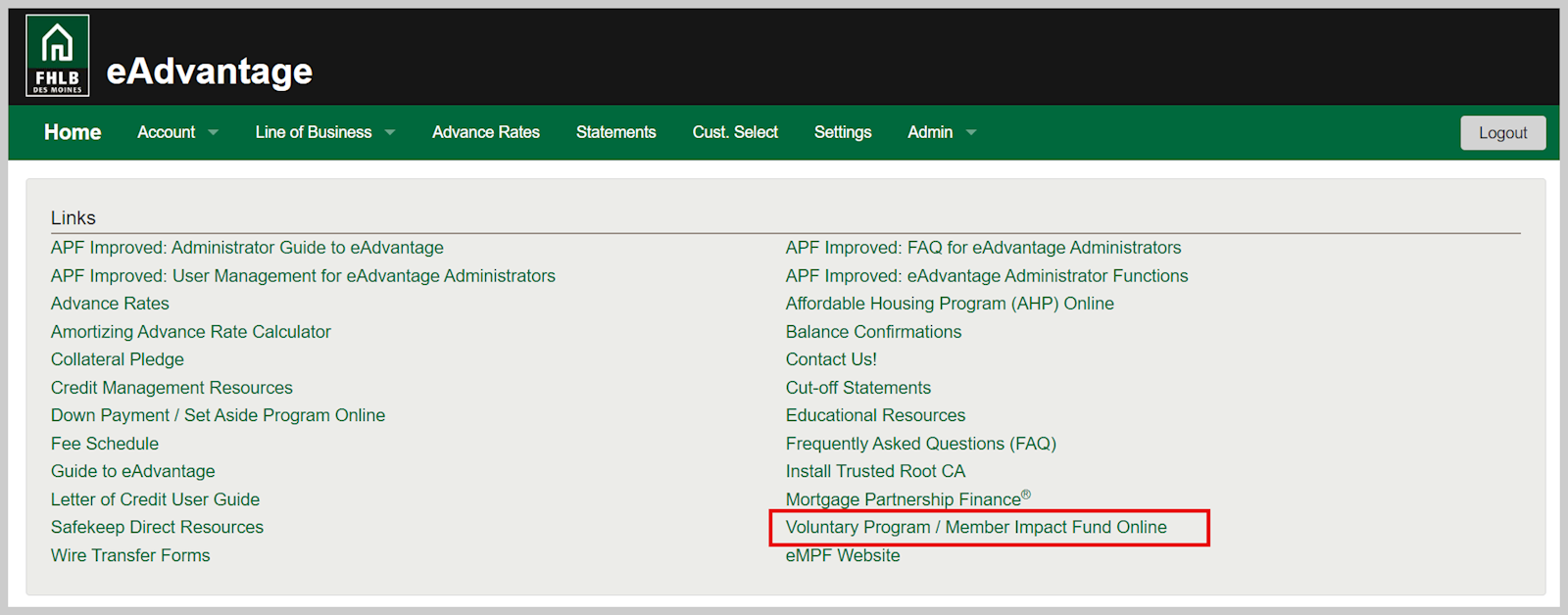
Note: eAdvantage has two daily maintenance windows from 8:00 PM (CT) - 8:30 PM (CT) and 6:30 AM (CT) - 7:00 AM (CT). eAdvantage may be unavailable during these times and users may receive an "eAdvantage is currently offline" notification.
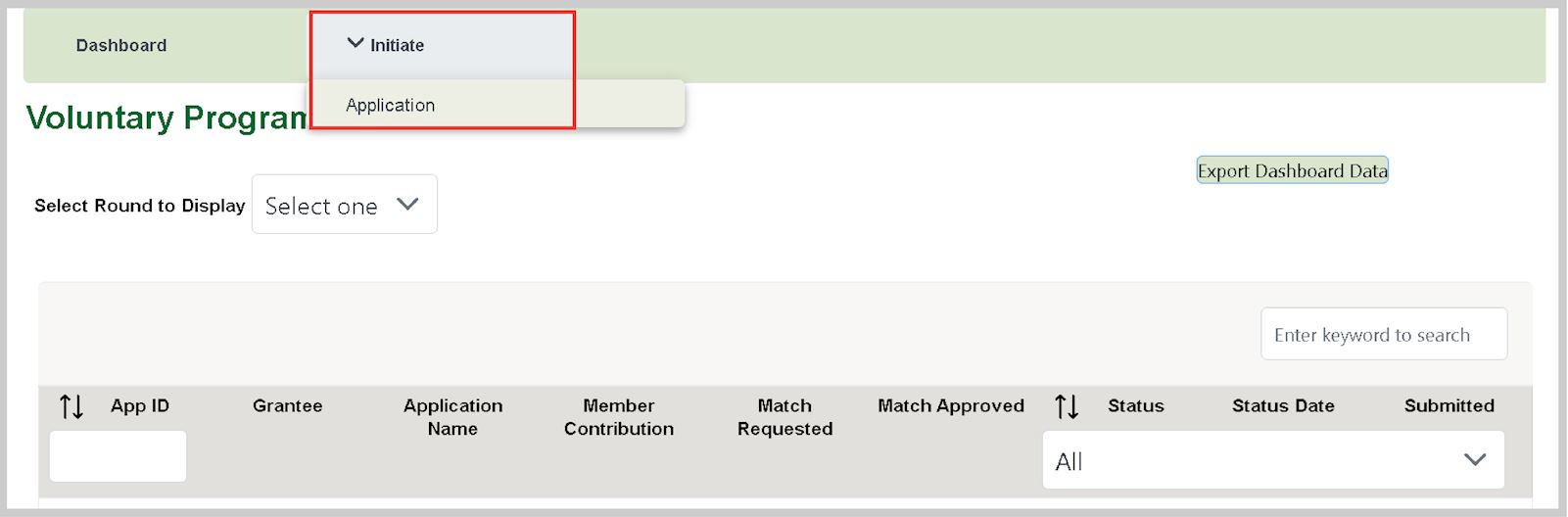
Step 2 – Initiate Application
Note: Applications will expire if it is not submitted by the application deadline and will be not be eligible for review.
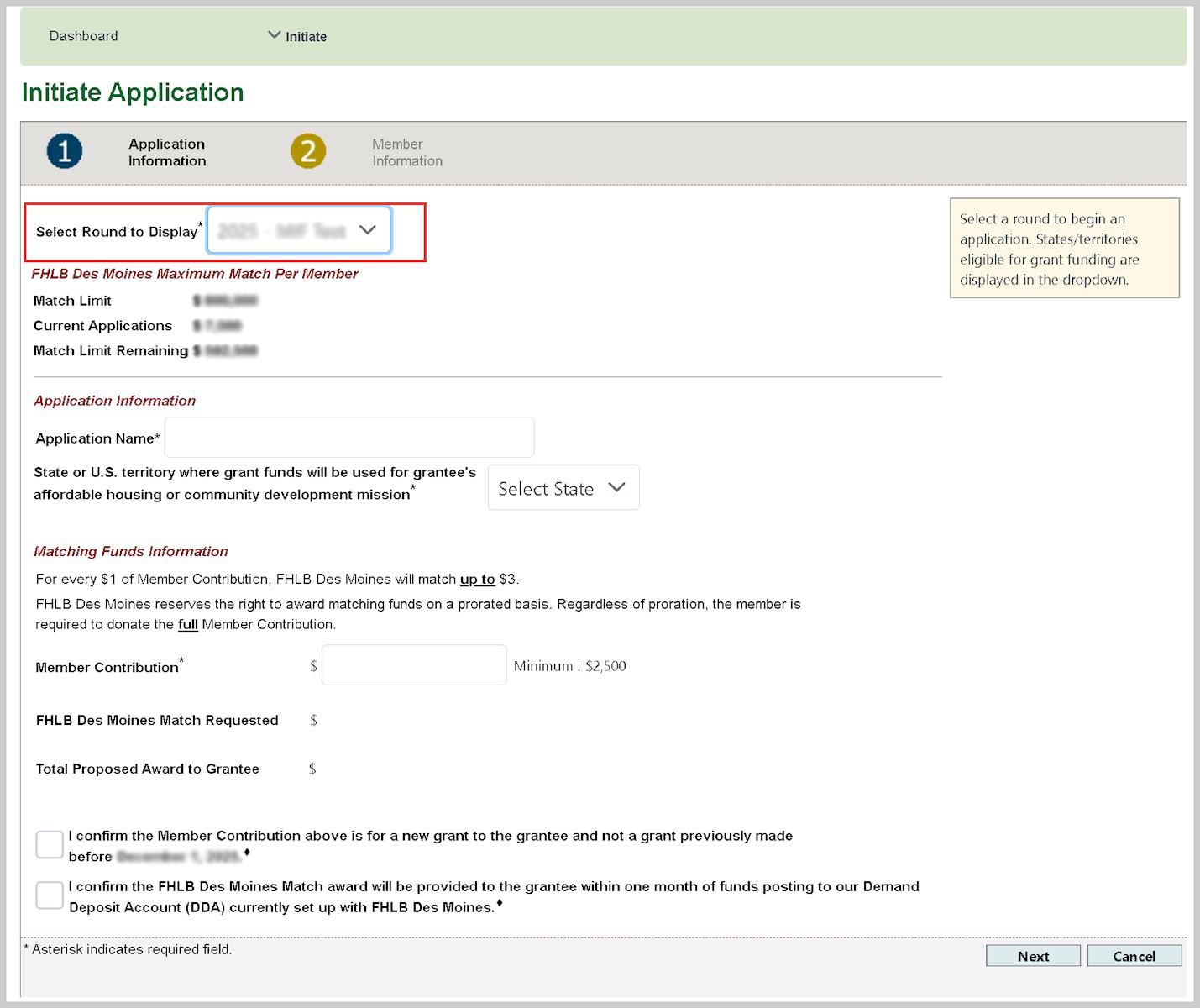
Step 3 – Application Information
- Select the appropriate funding round under the 'Select Round to Display' drop-down menu.
- Complete the 'Application Name' field.
- This can be any unique identifier that helps you associate this application in the future.
- Complete the 'Matching Funds Information' and select 'Next' to continue.
Reminder – the grantee must be located in the selected state or U.S. territory.
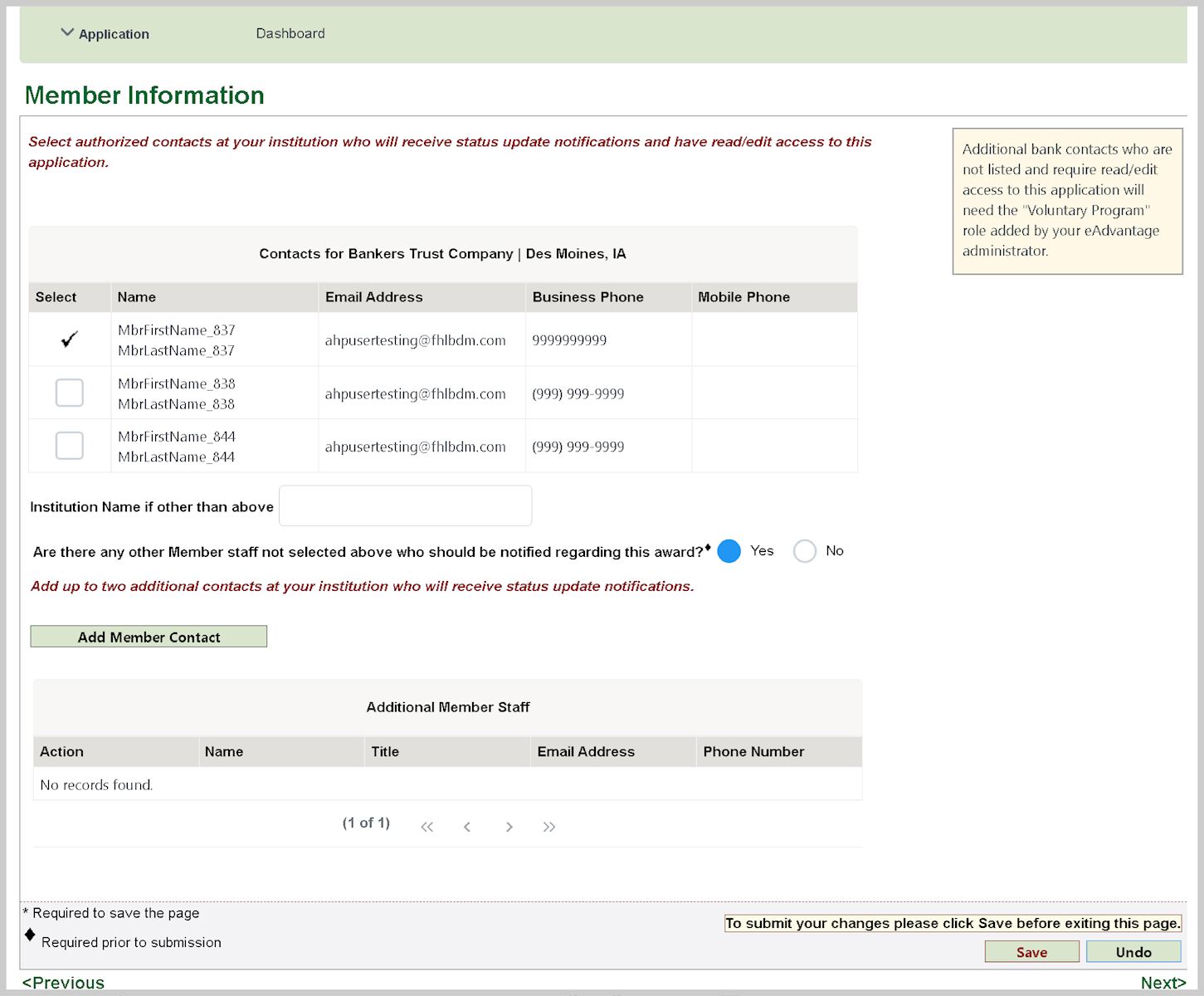
Step 4 – Member Information
Information about member users will be prepopulated.
- Select the user(s) from your institution who you want to receive application email notifications.
- To add new contacts, select 'Add Member Contact' button and provide requested information.
- It is recommended to include the appropriate person in your accounting department.
- Do not include grantee contact information at this stage.
- Proceed with completing this page and select 'Next' to continue.
Note: Users will receive emails from sender: no-reply-ci@fhlbdm.com. Please ensure this email address is not blocked by your email administrator.
Step 5 – Grantee Information
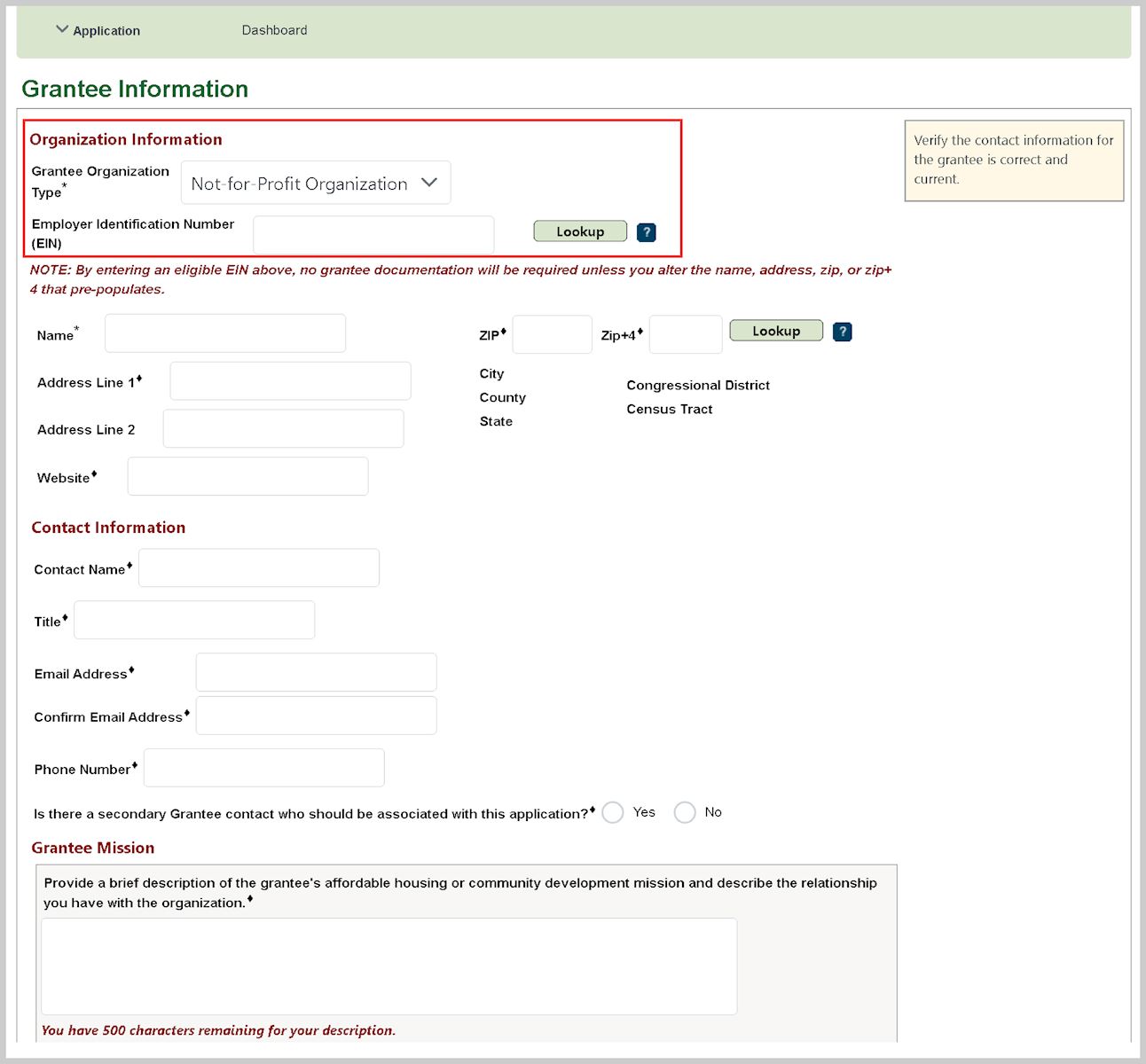
- Select the 'Grantee Organization Type'
- If the organization is a not-for-profit, enter the Employer Identification Number (EIN) after which the organization’s name and address will be prepopulated. If this information does not prepopulate, manually enter it.
- If you do not know the grantee’s EIN, you can search active not-for-profits on the IRS.gov website or inquire with grantee.
- EINs are not applicable to government entities.
- Complete the required 'Contact Information' fields.
- Grantee contact information can not be a representative of your organization.
- Complete the required 'Grantee Mission' fields.
- Complete 'Grantee Documentation' section.
- You may skip this section if the organization is:
- Not-for-profit with a selected EIN
- Government entity
- If the organization is a not-for-profit but an EIN cannot be located, upload IRS documentation of not-for-profit status
- Click 'Save' to continue.
Step 6 – Use of Funds

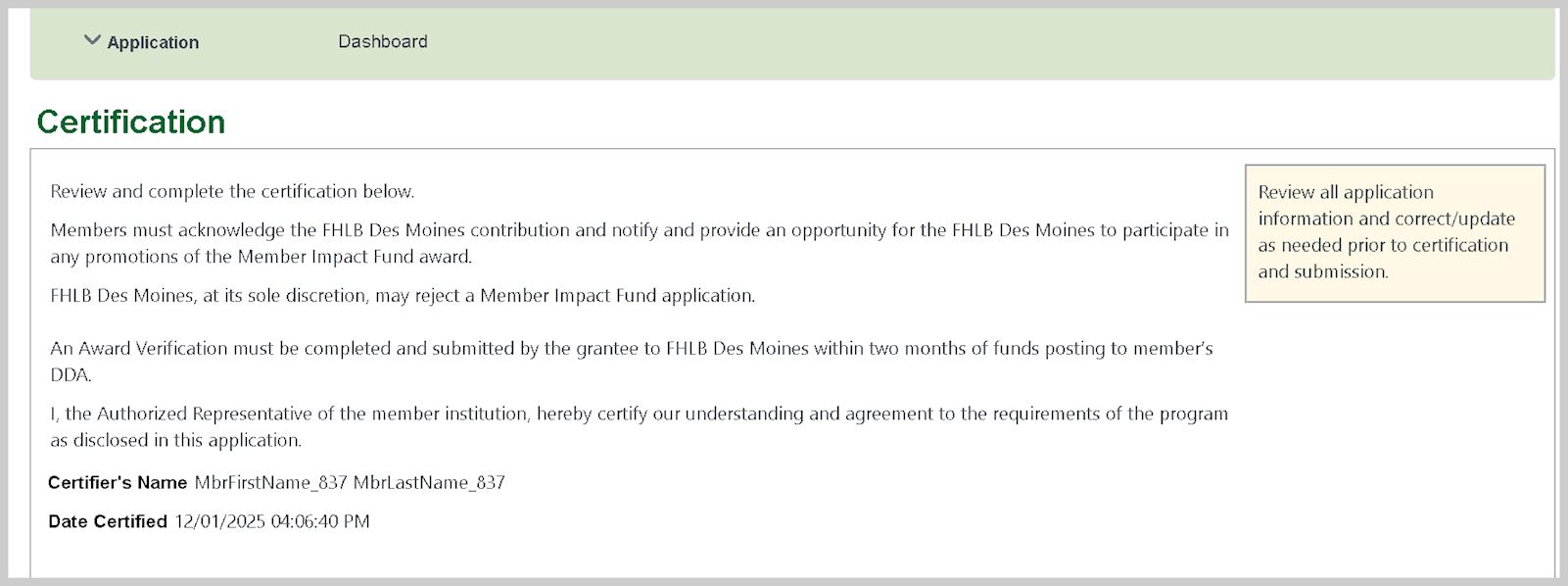
Step 7 - Certify Acceptance
- Click 'Save' to certify acceptance of the information listed.
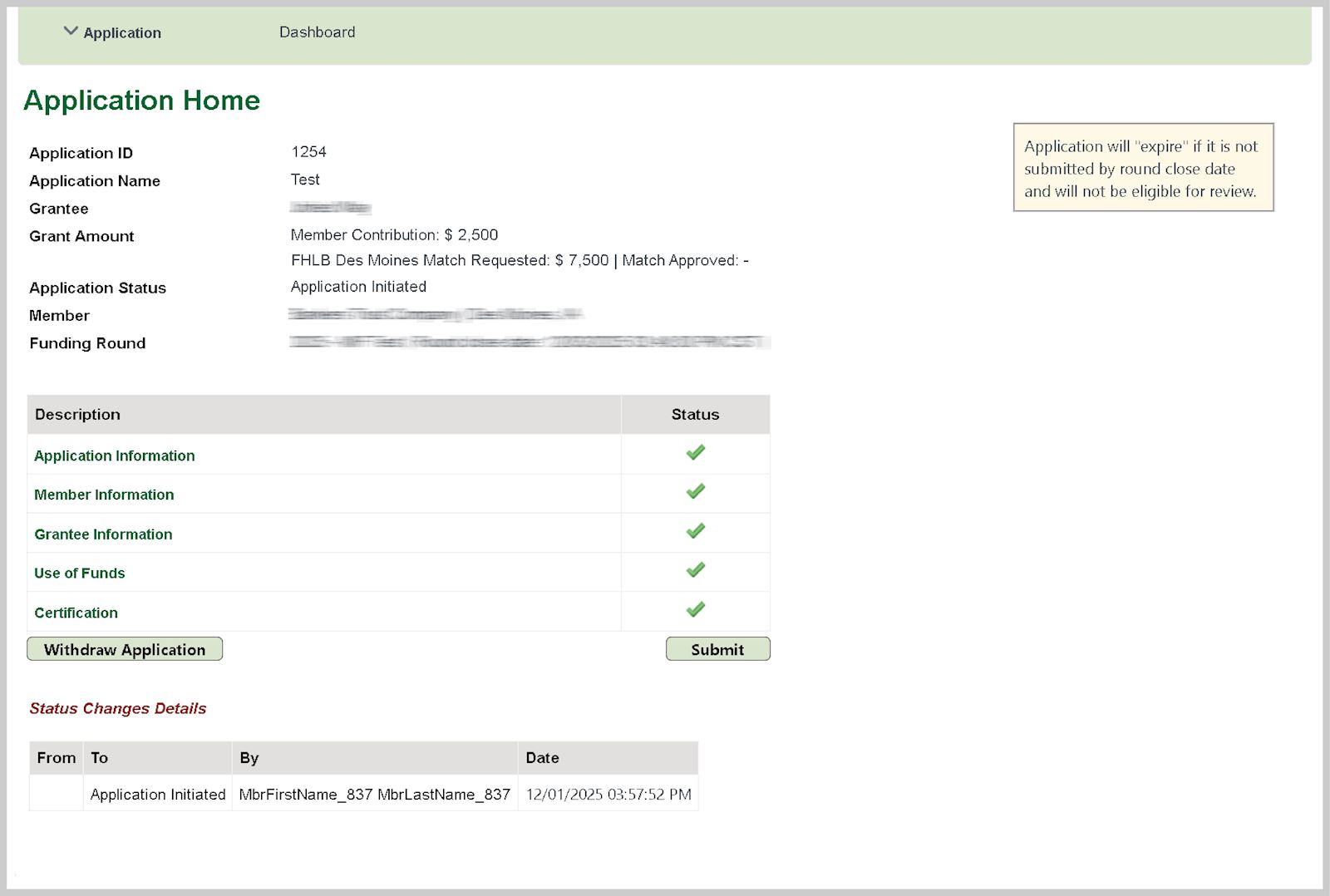
Step 8 - Submit the Application
- The application is ready to submit when there is a green checkmark in each row.
- If a section does not have a green checkmark, please return to the identified page and complete.
- Click 'Submit' to complete the application process.
- Your application has now been sent to FHLB Des Moines for review.
Note: If you decide to withdrawal an application, press the 'Withdraw Application' button. You will be required to provide a reason for the withdrawal, and after final review by FHLB Des Moines staff, the application will be withdrawn.